Finance Bro
Updates & iterations
One rule for what counts as spending
The spending figure is now decided by one classification for every row, with a readable reason for everything it leaves out.
For months, whether a row counted as spending depended on its sign plus a growing pile of special cases. Paying off the credit card, a tax instalment, a contribution to my kid's education savings: each was handled somewhere different, and the monthly number was hard to trust. I replaced all of it with a movement model. Every row gets exactly one classification from a single ordered list: spending, refund, fee, tax, card payment, transfer between my own accounts, income, investment, or excluded. The first match wins, and the order is the contract.
The questions the data can't answer on its own, like whether taxes or education savings count as spending, are now five named switches with my answers written down next to them. Flipping one never edits a transaction. Under the headline, "Not counted as spending" lists every group the number leaves out, with the monthly amount and the reason, so the figure can always be checked.
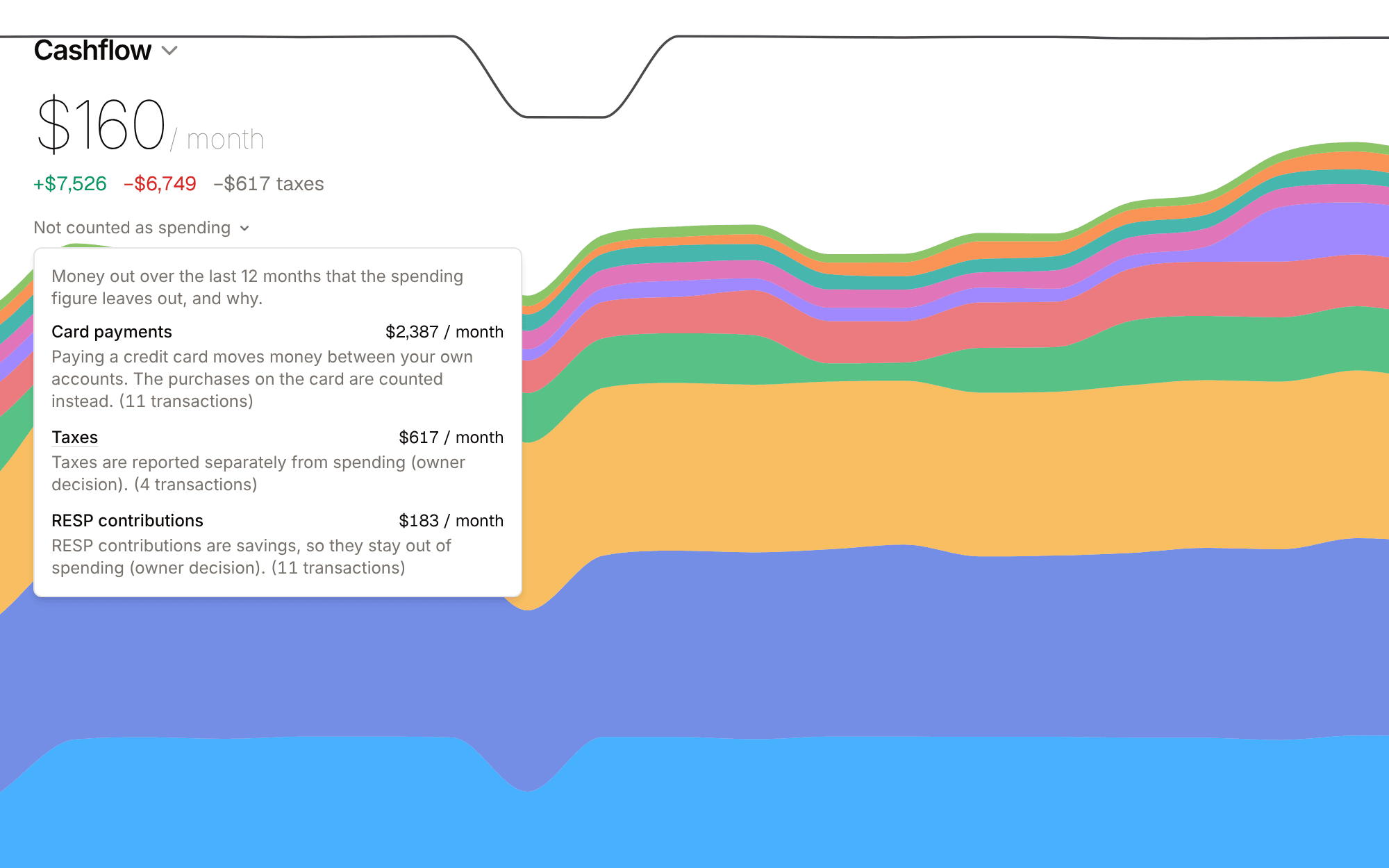
Card payments, taxes and education savings, each with its reason, on a synthetic ledger.
The principle the project started with is truth before judgment: a number on screen has to be true before it is pretty. A total that silently drops whatever looks like a transfer fails that test. The new model ships with tests that run against a real Postgres database in CI rather than a mock.
One receipt, two card charges
Receipts now match purchases that the store billed as more than one charge, days after the receipt date.
Receipts already matched card charges and split them by line item, so a single grocery run could count as groceries, household supplies and a kid's jacket instead of one lump. The hole was a big electronics order billed as two charges, the hardware and the warranty, six days after the receipt date. The matcher looked for one charge equal to the receipt, found nothing, and the purchase showed up twice.
Now, when no single charge fits, the matcher looks for two or three charges that add up to the receipt total. It searches the 60 closest charges by date, the sum has to match to the cent, and every charge has to agree on the merchant. If two different combinations both fit, it only suggests and lets me pick. Each charge links back to the receipt, and its line items stay visible from the transaction itself.
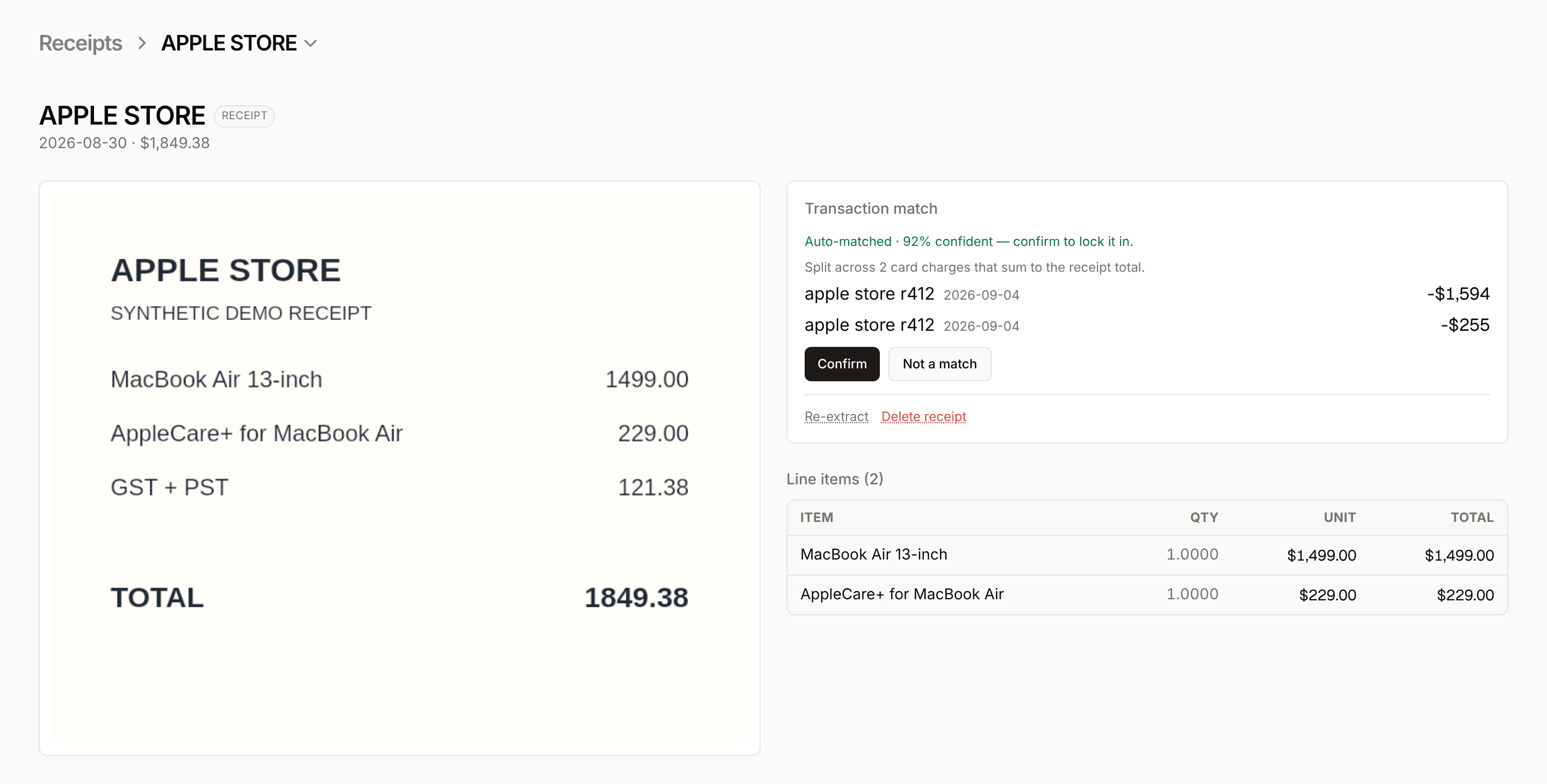
A synthetic receipt matched across two charges that sum to its total.
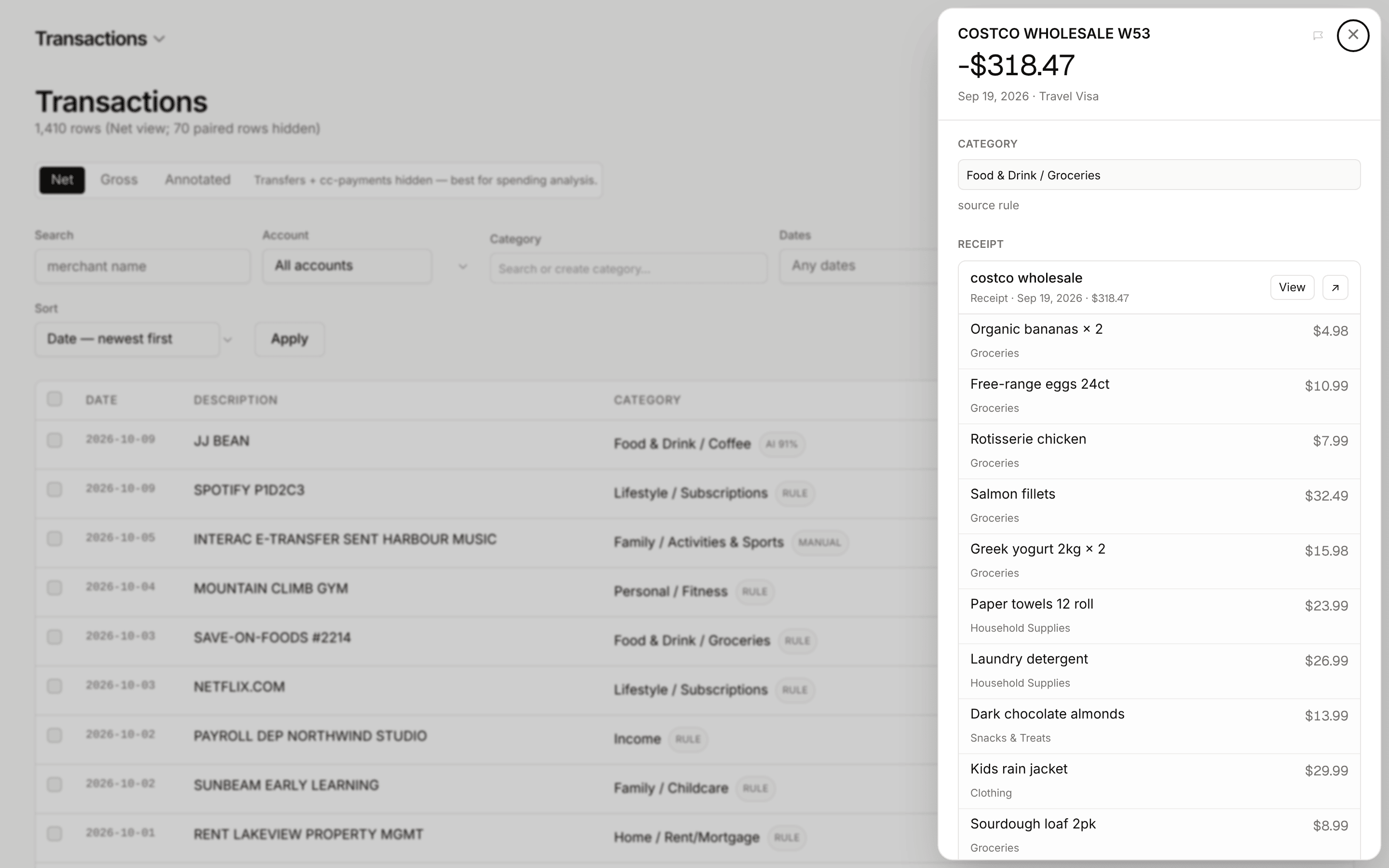
From the ledger, a matched purchase opens to its line items, each with its own category.
I didn't split the receipt's line items across the separate charges. Printed item prices are before tax, so any attribution to one charge or the other would be a guess, and this app prefers showing an honest whole over a precise-looking guess. Eleven new tests are anchored on the shape of the real case.
Rules that do several things, and notice patterns on their own
A rule used to file one category. Now it can relabel, exclude, tag and group, and the app proposes rules it spots in the ledger.
The case that forced this was two e-transfers each month, different amounts, same account, around the same day, that belonged to one recurring obligation. A category-only rule couldn't express that. Now a rule carries a list of effects: file a category, add to a recurring group, show the rows under a clearer label, or exclude them from spending. It's built by ticking conditions and effects, with a live count of what it would match and an English read-back. You can also type the rule in plain English and let Claude fill in the rows.
The bigger shift is that the app suggests rules. After each import it looks for a fixed amount leaving the same account on a consistent day each month, at least three times across three months, and merges amount bands that clearly belong together. It only proposes a rule when it can say what the rule should do, based on how I filed the matching rows before. Accept, edit, or dismiss, and a dismissed suggestion stays dismissed.
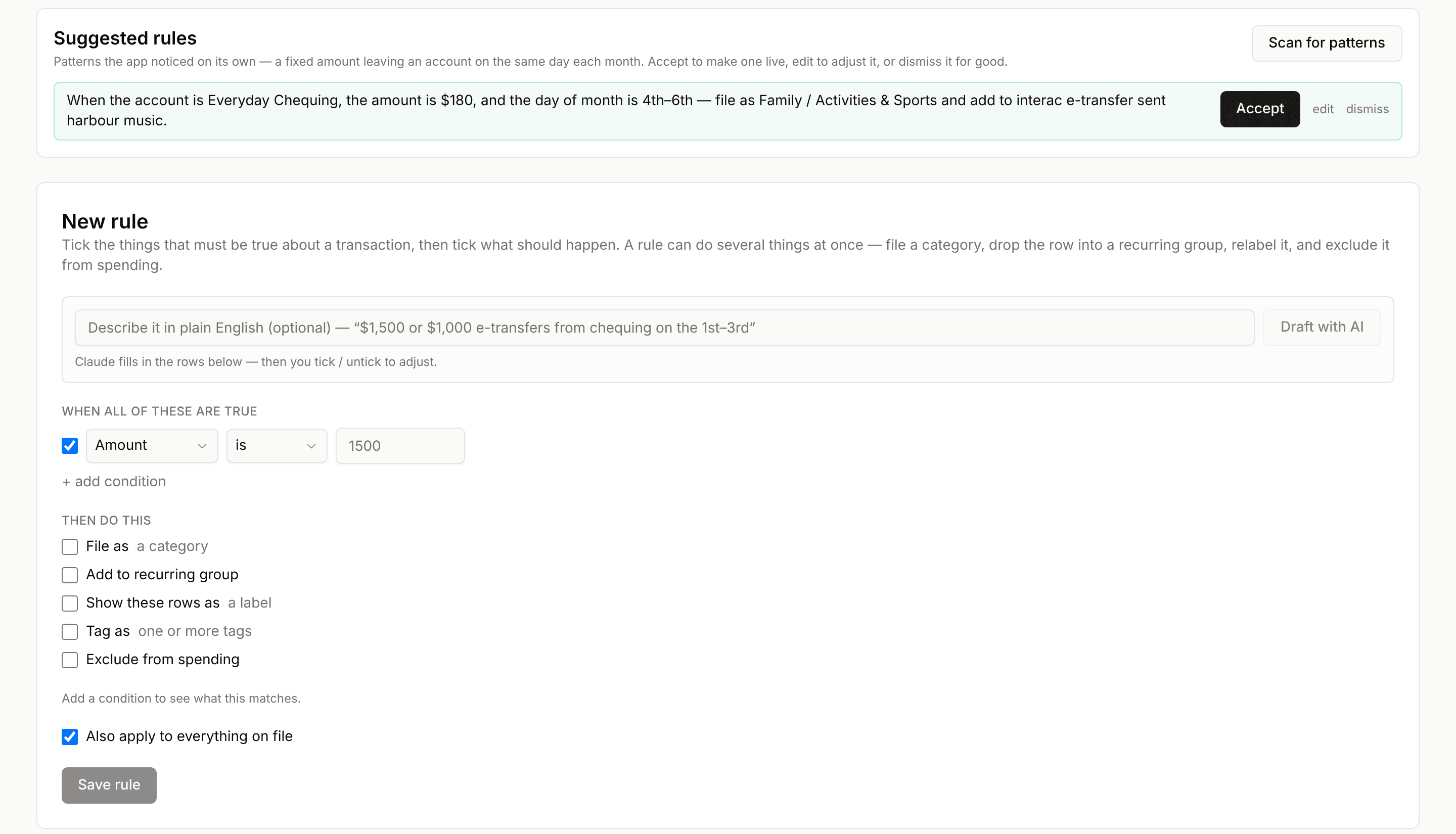
The suggestion at the top was produced by the real suggester running over a synthetic ledger.
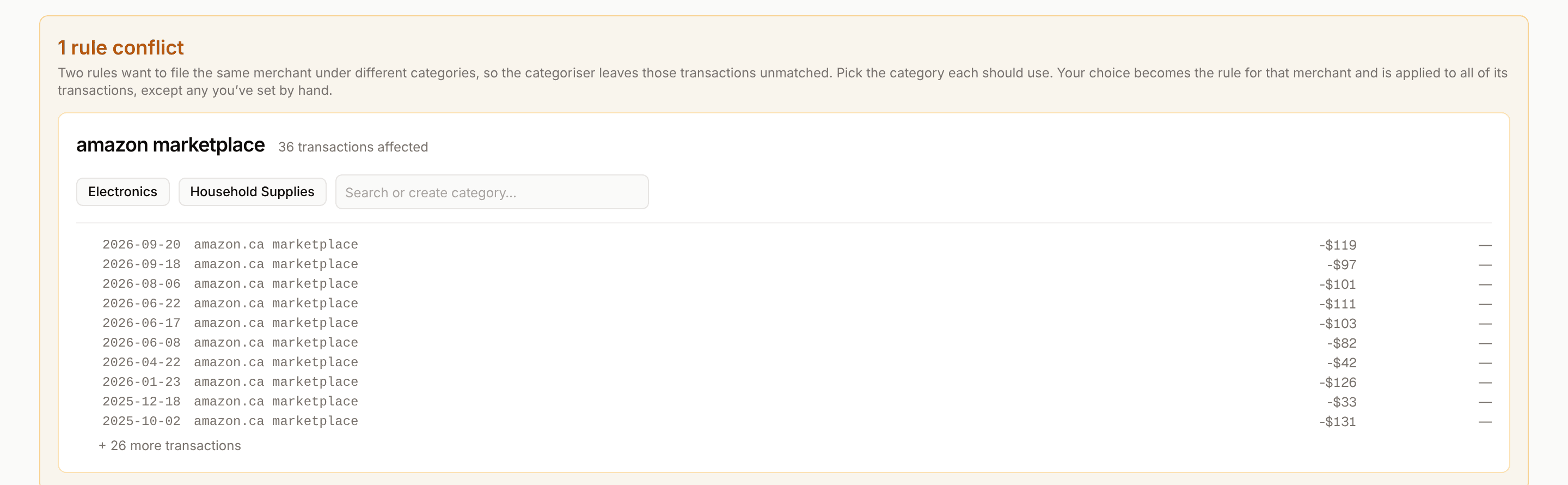
When two rules disagree, the app stops and asks.
Every rule the user teaches is an act of trust, so nothing here is applied silently. Suggestions stay inactive until accepted, and when two rules disagree about a merchant the app shows a conflict card with the affected transactions and asks me to pick, instead of choosing for me.
Spending as a shape you can walk into
The monthly bar chart became a stacked area where every band is a category you can click into.
The original spending view was one bar per month, which told me the total and nothing about what was inside it. I replaced it with a stacked area chart: one band per category, so you see how the mix shifts over time and not just whether the month was high. Hovering a band picks it out and gives its monthly rate. Clicking it drills in: Food & Drink opens into groceries, restaurants and coffee, and the leaf level lists the transactions themselves.
The chart is drawn by hand in SVG with no charting library. The curves use monotone cubic interpolation, so the bands stay smooth without ever crossing each other or dipping below zero, which a generic spline will happily do. That same day added a range selector from one month to five years that rescopes the whole page, and a drag-to-select brush that filters the table under the chart.
Scrubbing across two years of a synthetic ledger, then clicking the Food & Drink band to drill in.
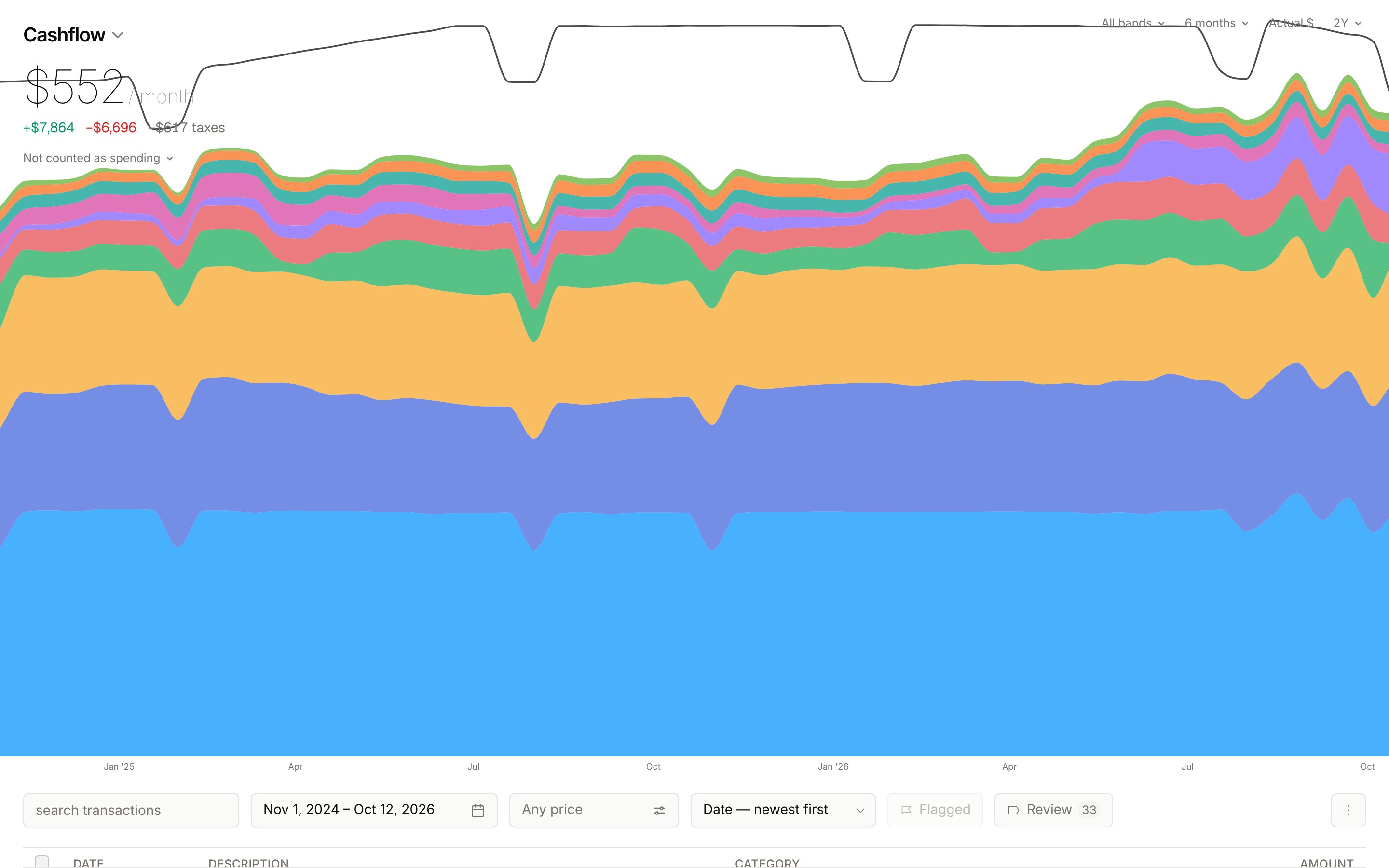
I kept the chart code in the repo instead of taking a dependency because so much of the design is in small decisions, like what counts as a band, how a drill animates, and how an unfinished month is projected instead of crashing to zero. Owning the drawing made those quick to change.
Statements in, and every row finds its own account
On day one the ledger started taking real bank exports, without duplicates and without asking which account a file belongs to.
The first thing I needed was my own history in the app, so day one ended with CSV, OFX and QFX import, and the next day added PDF statements. Every imported row gets a fingerprint: the bank's own reference number when it prints one, otherwise a hash of the account, date, amount and cleaned-up description. Uploading the same statement twice inserts nothing, and the exact same file is refused up front.
The change I'm proudest of from that week was deleting a dropdown. Instead of asking which account a file belongs to, each row carries its own account identity from the export, so one "all accounts" download from the bank lands in chequing, savings and the Visa on its own. It even catches account numbers that Excel has mangled into scientific notation, and refuses to store those.
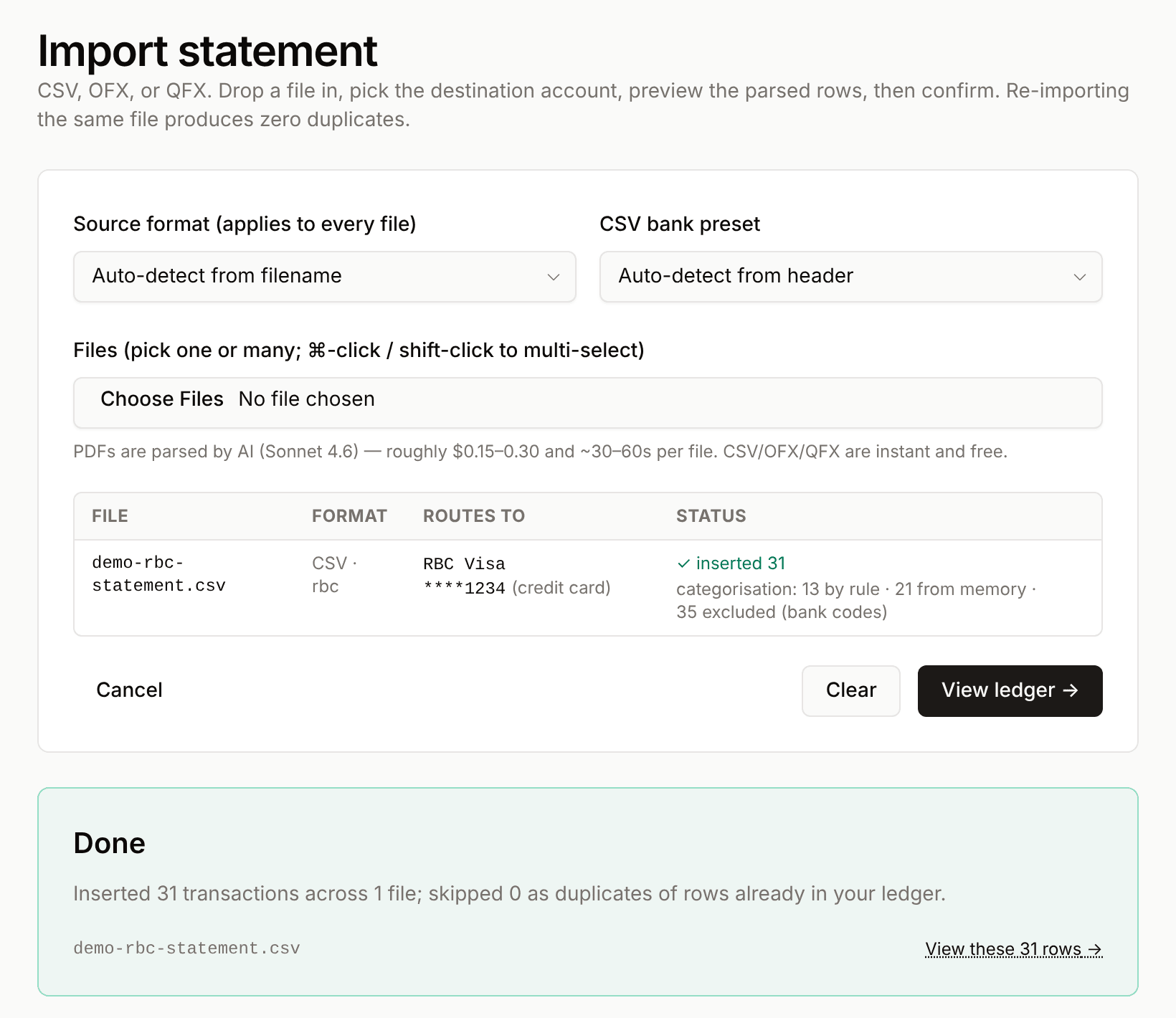
Today's import screen with a synthetic RBC-format CSV: the format and account are detected from the file itself.
My bank isn't well covered by aggregators like Plaid, so I made statement import a first-class path rather than a fallback. CSV and OFX parse deterministically for free. PDFs go through Claude because statement layouts vary, and the parsed rows are checked against the totals printed on the statement.