Aloud
Select text and hear it. Tap a key and talk. Nothing leaves your Mac.
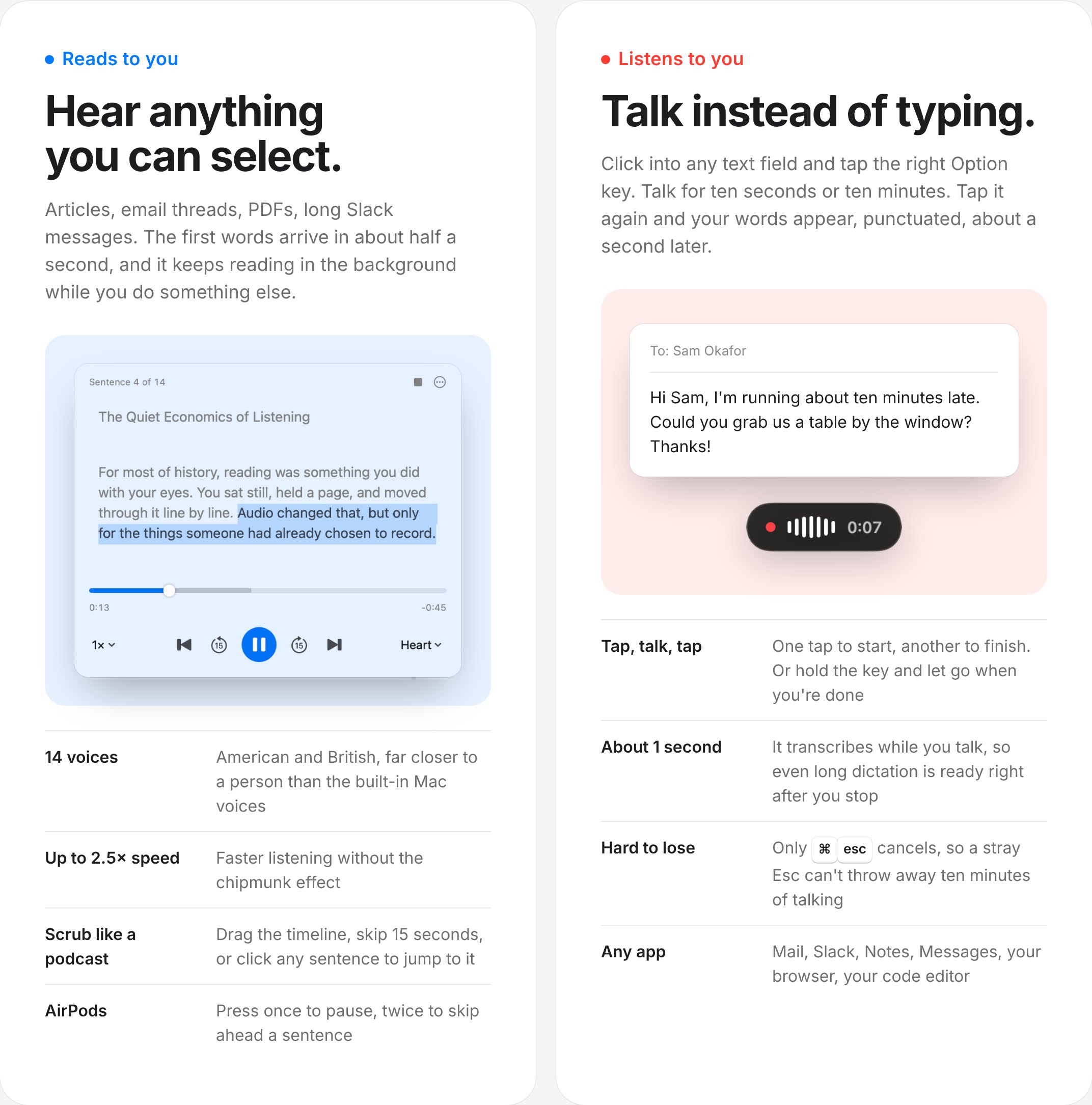
Aloud is a small Mac menu bar app with two jobs. Select any text, double-tap the right Option key, and a natural voice reads it to you in the background. Tap the same key once and talk, and your words are typed into whatever app you're in. Both run locally: Kokoro for the voice, NVIDIA's Parakeet for dictation, and an optional Qwen model that tidies up what you said.
I built it for myself first. I read a lot on screen and I think faster than I type, and the tools that help with either usually want an account, a subscription, or a copy of everything I read and say. Aloud is free, works offline, and is for anyone on an Apple silicon Mac who wants their eyes and hands back for a while.
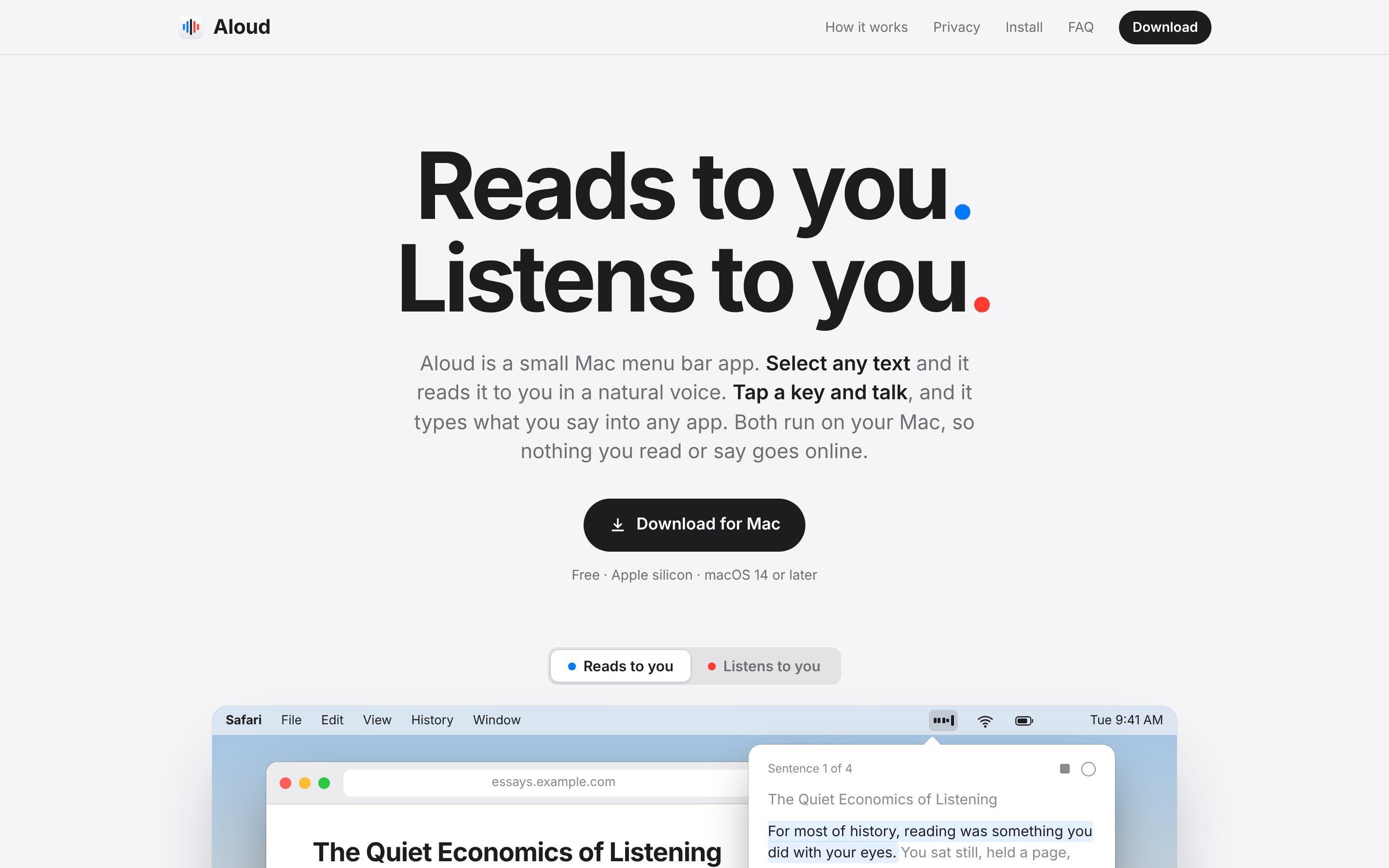
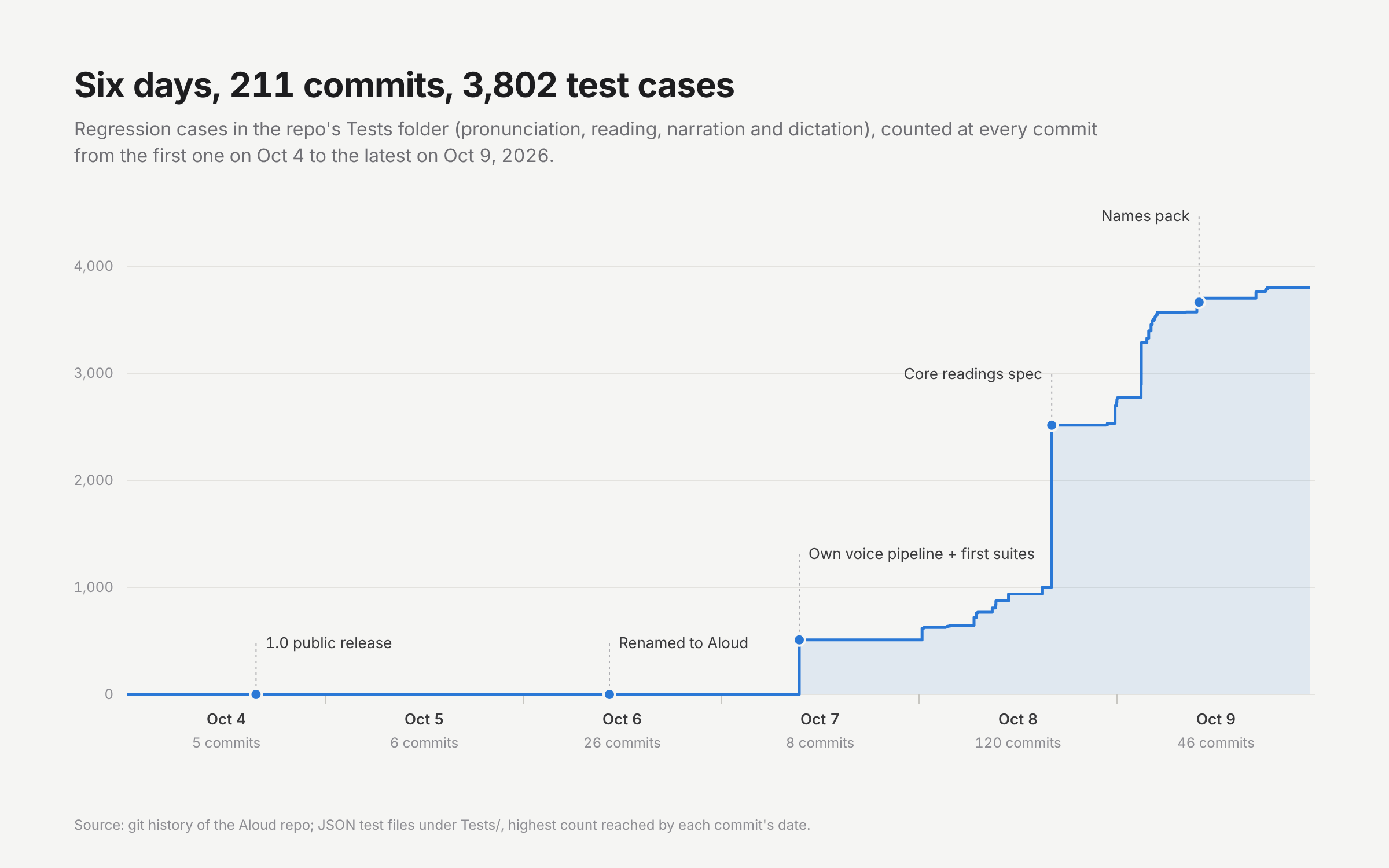
The first version shipped on October 4, 2026, the same day as the first commit: select text, press a shortcut, hear it. Six days and 211 commits later it was a different product. It listens as well as reads, it updates itself, and it has a pronunciation layer that most text-to-speech apps never get to. The landing page grew up alongside it. Its hero is an animated recreation of the two moments the app is for: an article read aloud from the menu bar, then a message dictated into Mail.
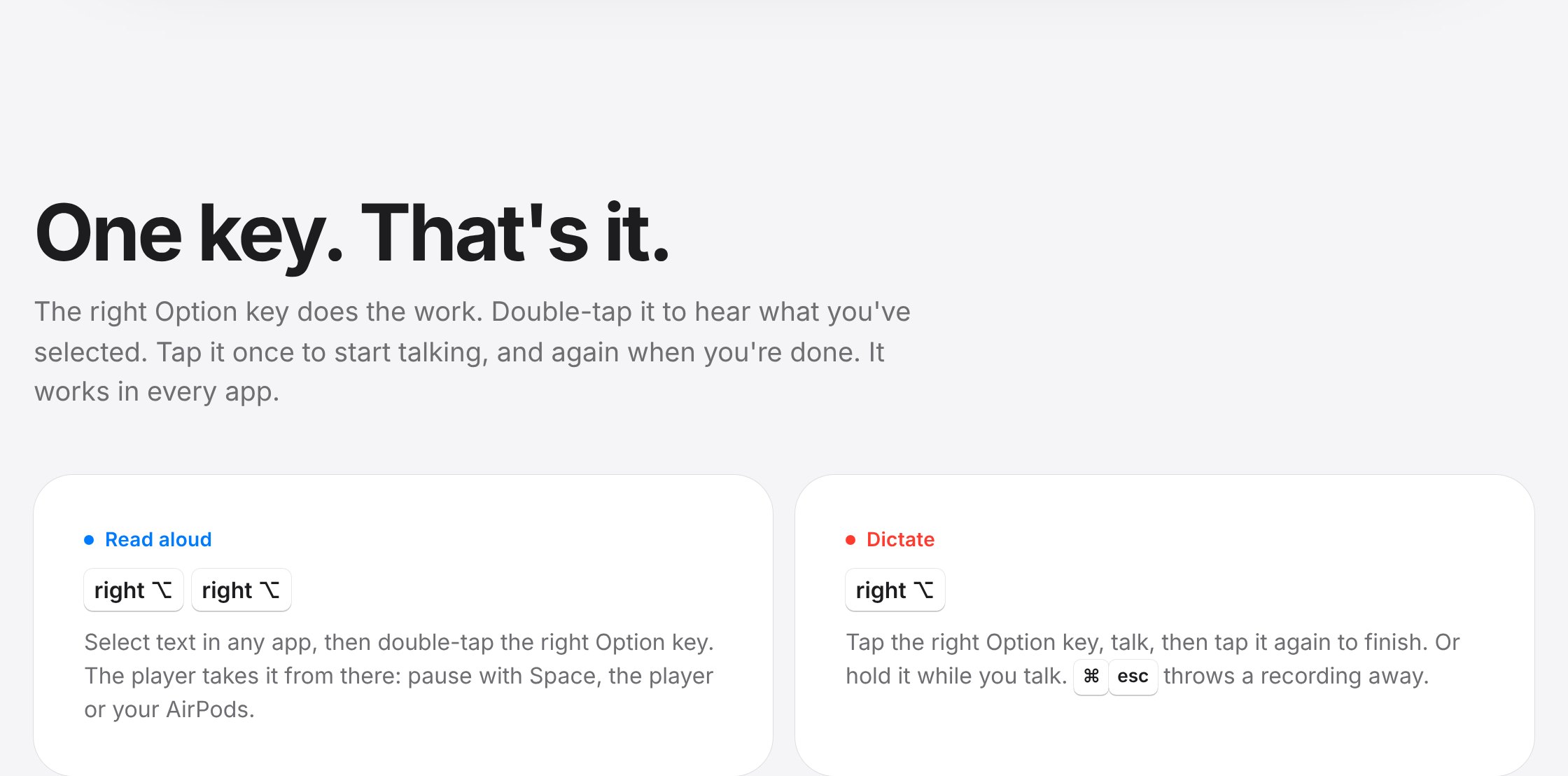
The interaction design is mostly subtraction. Reading started on ⌃⌥R and dictation on the right ⌘ key. By October 8 both lived on one key: tap right Option to dictate, tap again to finish, double-tap with text selected to read. The hard part was timing. A single tap has to wait out the double-click interval in case a second tap follows, which made dictation feel late, so the microphone now starts on the first tap and the recording is quietly dropped if the tap turns out to be a double. Color does the rest. Blue means the Mac is speaking, red means you are, and that rule runs from the player's play button to the recording dot to the icon itself.
A good voice that mispronounces things is worse than a robotic one, because every mistake pulls you out of what you're reading. So I treated pronunciation as a data problem with tests, not a list of bugs. Each area of everyday text (money, dates, units, addresses, phone numbers, titles, Roman numerals, sizes, shorthand) got a written spec, a set of cases written by one agent and attacked by another, and a frozen set of ordinary sentences that must not change. The test files went from zero to 3,802 cases in three days, and every rule was checked against its area's cases in both the American and British voices.
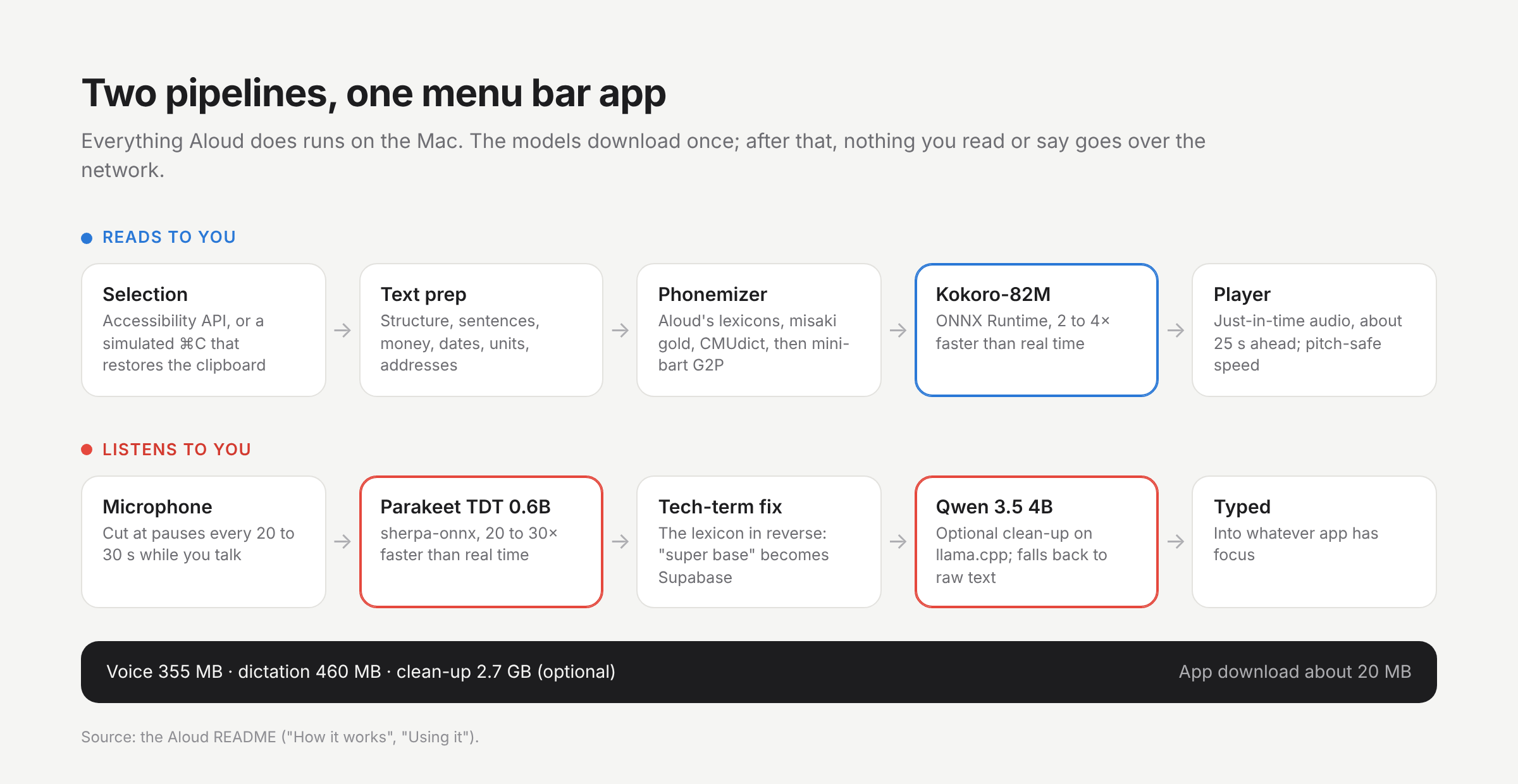
Under the menu bar icon are two pipelines. Reading goes from the selection through text preparation and a Swift port of the misaki phonemizer, backed by Aloud's own lexicons, into Kokoro-82M on ONNX Runtime, generating only about 25 seconds ahead so the first words arrive in about half a second. Dictation is cut at natural pauses while you talk and transcribed by Parakeet in the background, so a five-minute ramble is ready about a second after you stop. For version 1.6 I replaced the voice stack's GPL-licensed eSpeak dependency with a pipeline I could ship under MIT, and the build now fails if a bundled license text is missing or if a path from the build machine leaks into the binary.