Aloud
Release notes
Prices, dates and addresses, read like a person would
Nine areas of everyday text now have their own specs, rules and 1,514 reading cases.
"$3.50 ea." should be "three fifty each", "31/12" is "the thirty first of December", and "She said no. 2 days later" must never become "number two". I split everyday text into nine areas (money, dates, units, addresses, phone numbers, titles, Roman numerals, dimensions and shorthand), wrote a spec for each, and had every case set reviewed by a second agent trying to break it. When the test set landed, 363 of 1,829 voice checks passed. Each area then got its own rules, merged overnight, followed by two rounds of fixes from testers.
Later that day a names pack followed: 2,854 researched given-name readings, including 105 Persian names that take their Iranian pronunciation. Payam is now pah-YAHM, not PAY-um.
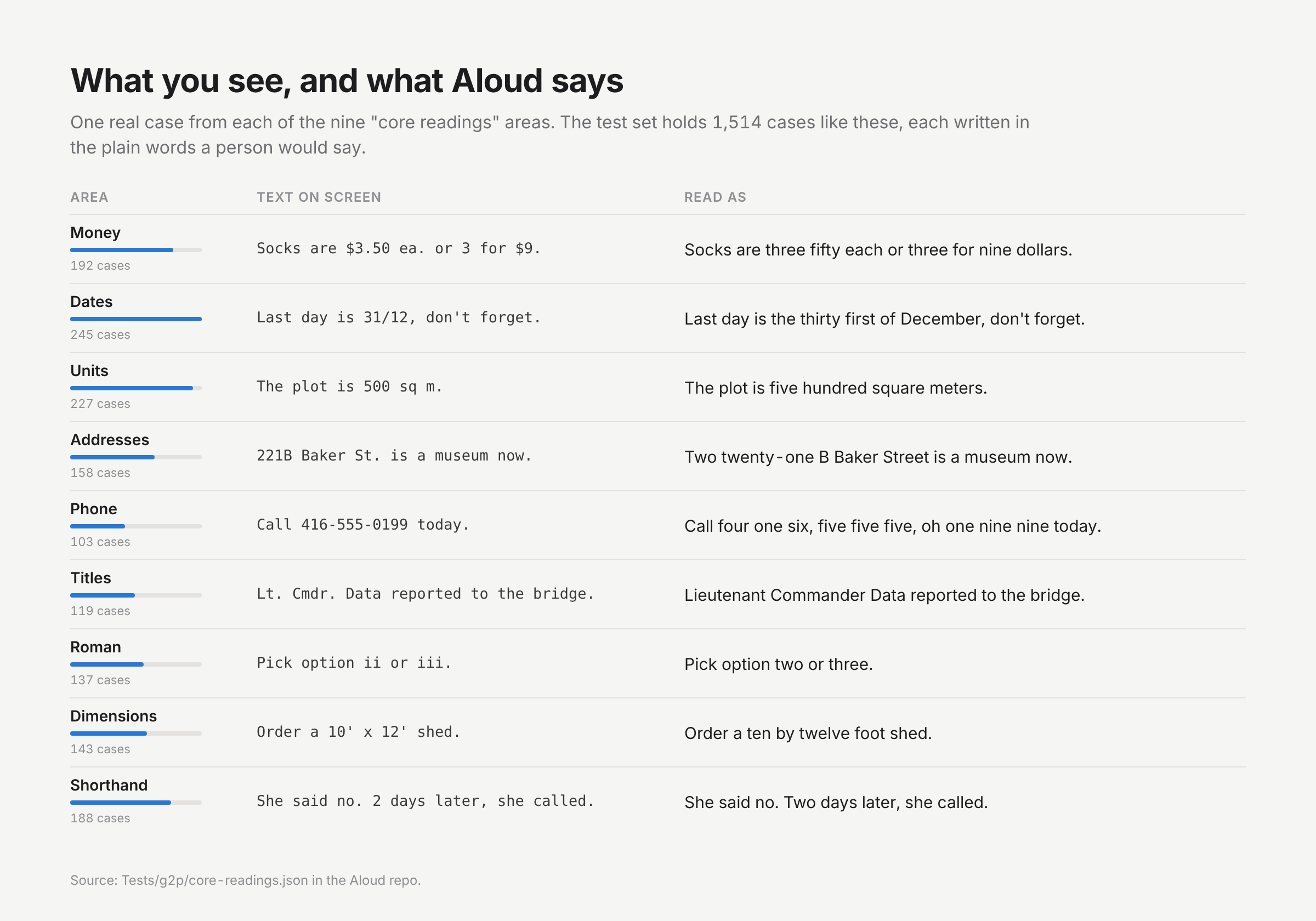
Real cases from the core readings test file.
Rules for one area routinely break another, so every area also carries frozen sentences whose reading must not change, and a cross-area file fixes the order the rules run in. Roman numerals, for example, are only read where the sentence settles them: "Pick option ii or iii" becomes "two or three", while ordinary words that happen to be numerals are left alone.
10,000 tech terms, said the way people say them
A researched lexicon fixes how Aloud reads tech, design and business words, and how dictation spells them.
Read a pull request aloud and a stock voice stumbles constantly. Every one of 9,981 terms was researched, then compared with what the default pronunciation stack produced: 1,713 came out wrong and 1,732 partly wrong. Vitest is VEE-test, gh is jee-AYCH, /tmp is TEMP. The policy is simple: the most common pronunciation among practitioners wins, and the creator's pronunciation is kept as an alternative when it differs.
The same list runs in reverse for dictation. Parakeet writes what it hears, so "push to super base" becomes Supabase and "cube control get pods" becomes kubectl, but only where it's safe. Ambiguous rewrites need a real tech term within 12 words, and capitalised ordinary words are treated as names. Loading and indexing the list takes 18.9 ms, and fixing a 214-word dictation takes 0.54 ms.
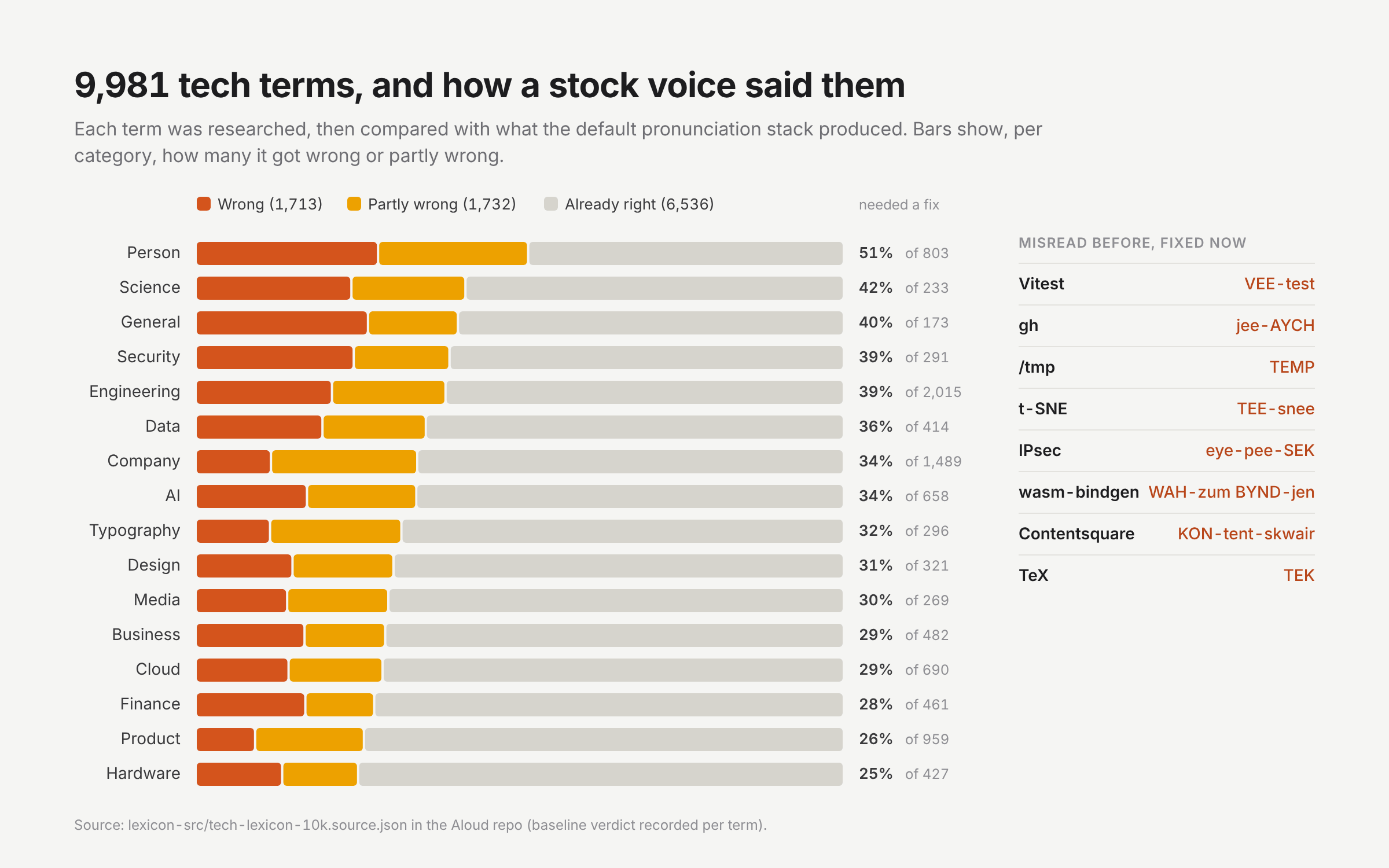
Generated from the lexicon's research file in the repo.
The research source, the disputed calls (GIF, SQL, kubectl) and the merge scripts live in the repo, so the list can be audited and regenerated rather than trusted. Six false positives from an overnight stress test, like "raspberry pies" and "Larry pages", became permanent must-not-change cases.
Read Aloud becomes Aloud
A new name, icon and landing page for an app that now reads to you and listens to you.
Once the app could listen, "Read Aloud" undersold it. The landing page led with reading only and wore a purple-gradient "AI" look. The redesign says both jobs in the headline, shows them on an animated Mac desktop, and switches to Apple's system type and neutrals. Blue means the Mac is speaking and red means you are, which became the new two-tone waveform icon.
Everything people see now says Aloud: the app, its menus, permission prompts, Now Playing and the download. Installing it removes the old Read Aloud.app and re-registers the login item.
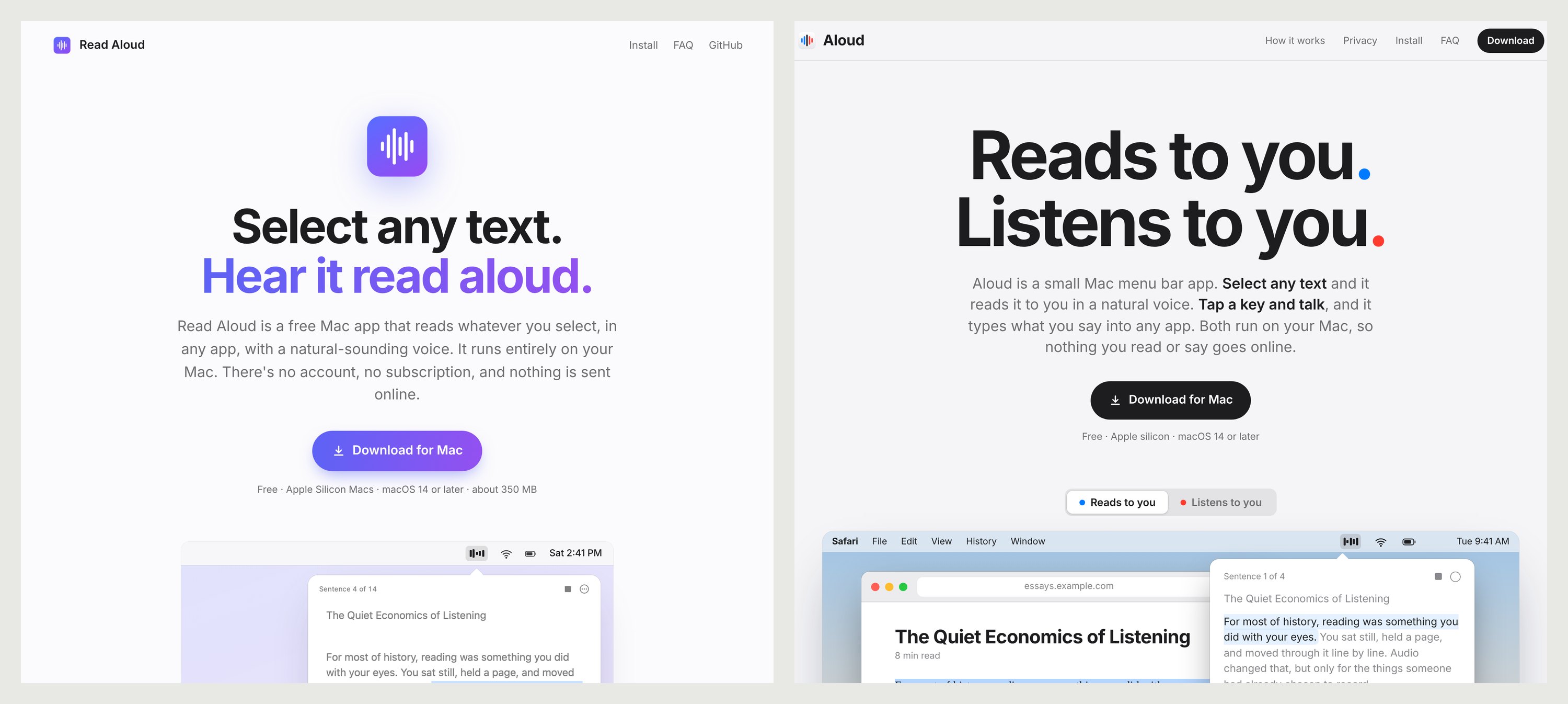
Before and after, both rendered from the repo's history.
I kept the bundle ID, the Application Support folder and the Swift module name on purpose. They're invisible, and changing them would have cost existing users their permissions, settings and the hundreds of megabytes of models they had already downloaded.
Read Aloud learns to listen
Version 1.1 adds local dictation with NVIDIA's Parakeet model, plus AirPods and media-key controls.
Tap a key, talk, tap again, and your words are typed wherever the cursor is. Transcription runs on the Mac with Parakeet TDT 0.6B through sherpa-onnx, about 20 to 30 times faster than real time, and the clipboard is restored afterwards. A small pill at the bottom of the screen shows the live mic level and a timer.
The same day, long dictations stopped making you wait. The recording is now cut at a pause every 20 to 30 seconds and transcribed in the background while you keep talking. A simulated 5.4-minute recording went from ready 14.9 seconds after stopping to 0.7 seconds, with essentially the same transcript.
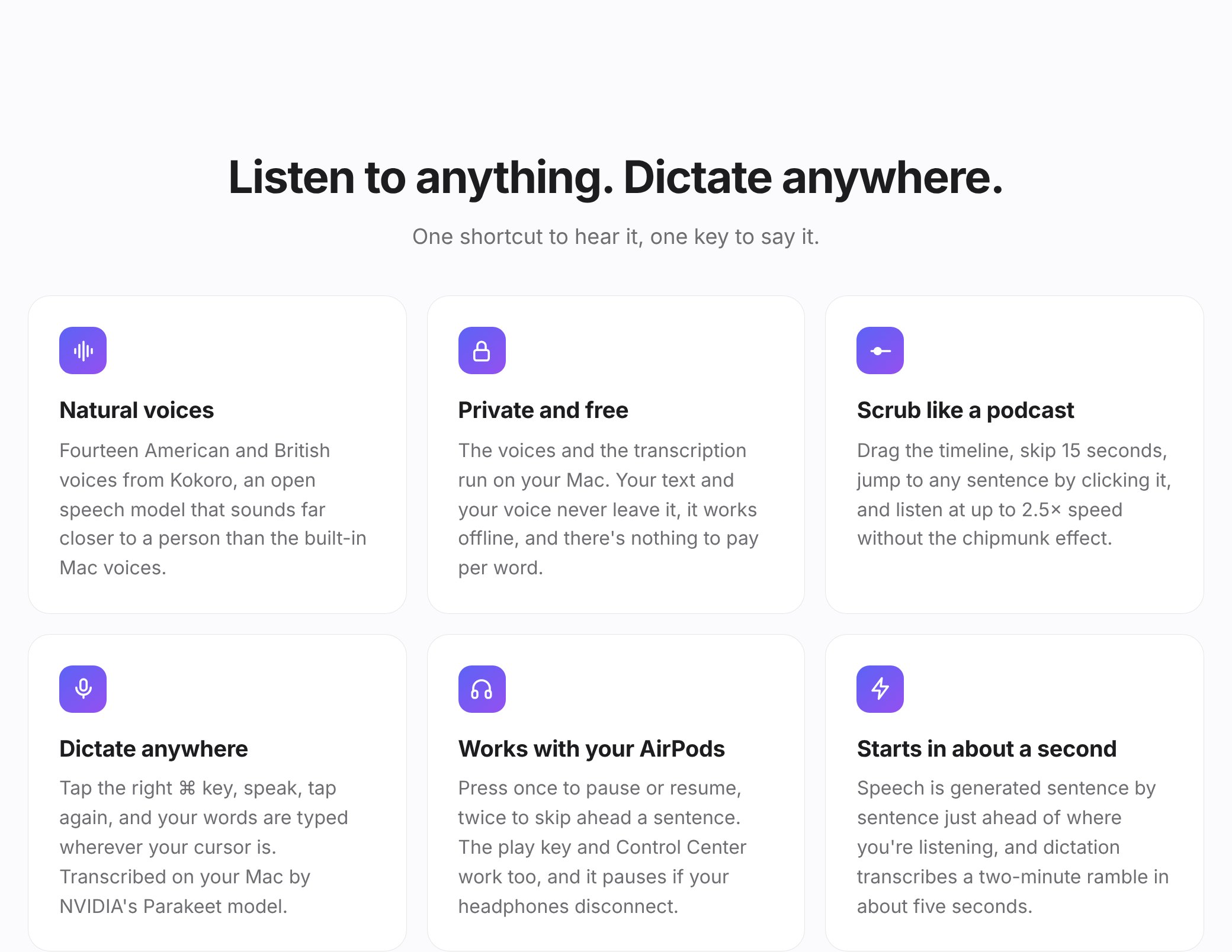
The 1.1 feature grid, rendered from the repo at the release commit.
Reading and dictation turned out to be the same promise from opposite directions: give your eyes or your hands a break without sending anything to a server. Headphone controls shipped alongside, since listening on AirPods was how I used the reader most.
Read Aloud 1.0: select any text, hear it
The first public build reads any selection on a Mac in a natural voice, entirely offline.
Read Aloud started as one idea: select text in any app, press ⌃⌥R, and hear it read by Kokoro, an open speech model that sounds far closer to a person than the voices built into macOS. It reads in the background while you do something else, and clicking the bars in the menu bar opens a player with the text, the current sentence highlighted, and a timeline you can scrub like a podcast.
The public build carried the voice model inside the app so it worked right after install, opened a short welcome with the shortcut and an Accessibility button on first launch, and came with a landing page, an MIT license and third-party notices.
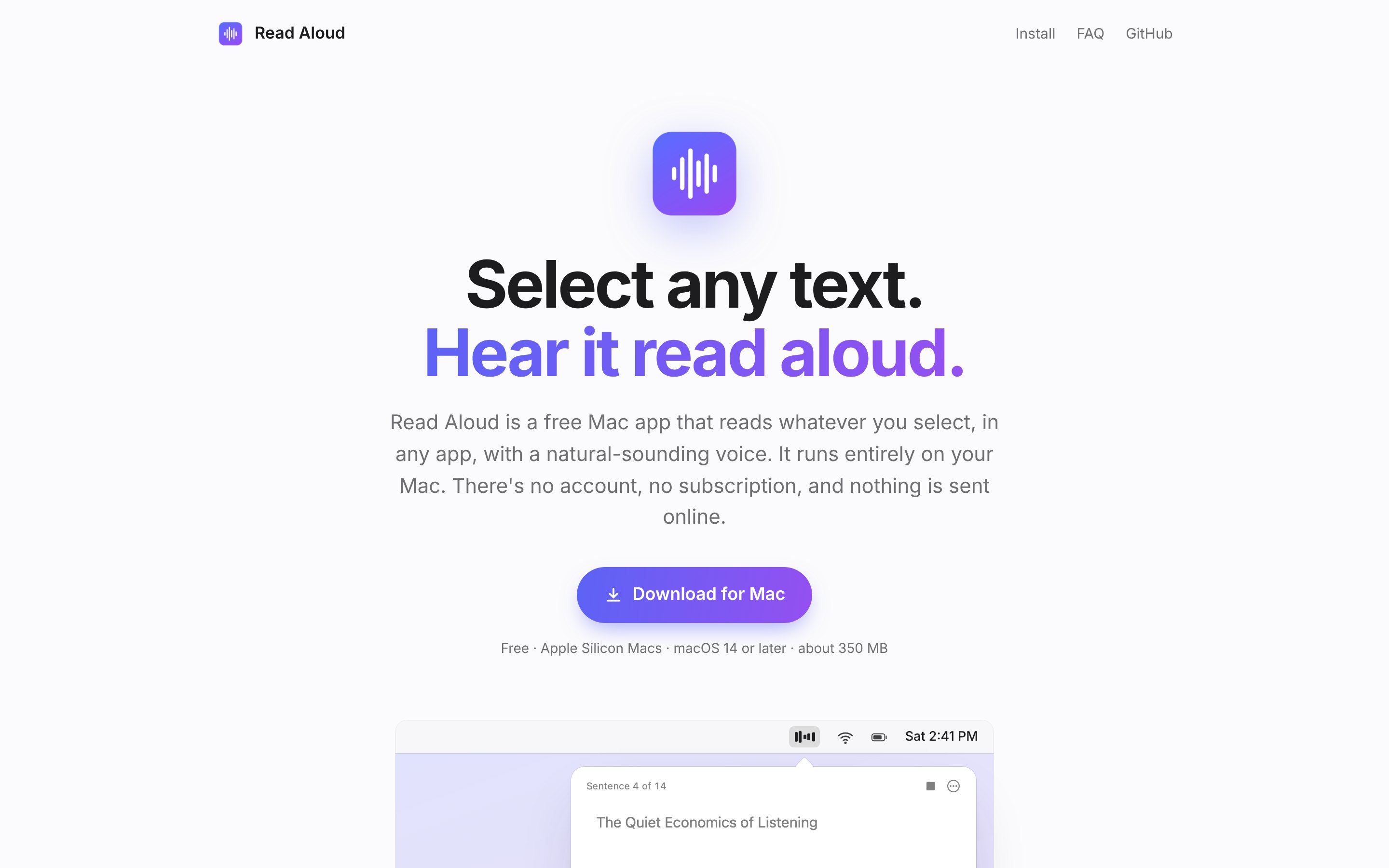
The 1.0 landing page, rendered from the repo at that commit.
Shipping the 350 MB voice inside the download was the simplest way to make the first run work offline with no setup. Two days later the voice moved to a download on first launch, and the app itself is now about 20 MB.